Plans, upgrades and cancelling
What each plan includes, how to upgrade, and how to cancel.
- Every widget has a free plan, with a Powered by WidgetPop link and a monthly number of views.
- Paid plans: more websites, unlimited widgets and views, no Powered by link, and the paid features in each widget.
- A view is one time a page with your widget opens. We email you at 80% and 100% of your views.
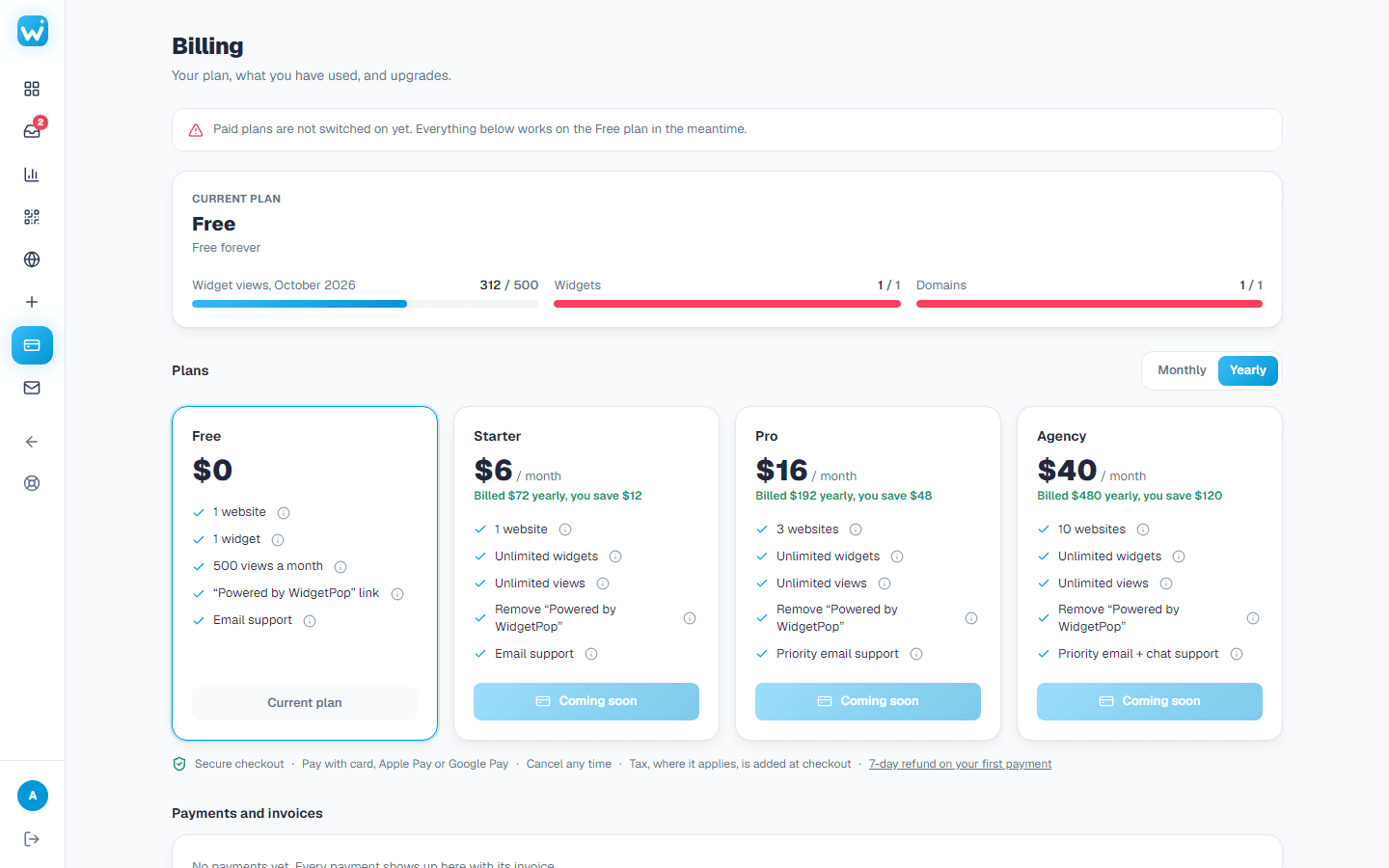
Paid plans are not switched on yet, so their buttons say Coming soon. Everything works on the Free plan in the meantime, and the buttons turn on by themselves once paid plans open.
Upgrade or cancel
- 1Open Billing in the menu.
- 2Pick a plan, monthly or yearly, and pay. The new plan works straight away.
- 3To cancel, press Cancel subscription on the same page. You keep your plan until the end of the period you paid for.
Your first payment can be refunded within 7 days. Write to us from the email on your account.
Related guides
Still need help?
Tell us what you're trying to do. A real person replies, usually within one working day.