Embed Google reviews on your website
Show your best Google reviews on any website with a widget that keeps itself up to date. Find your business, pick a design, paste one line of code. No Google login, no API key, and a free plan to start.
- Free plan
- No credit card
- Works on any website
yourwebsite.com
The real widget, with a sample business. Click any post to open it.
How it works
How to add Google reviews to your website
Three steps, about two minutes, no coding.
- Step 1
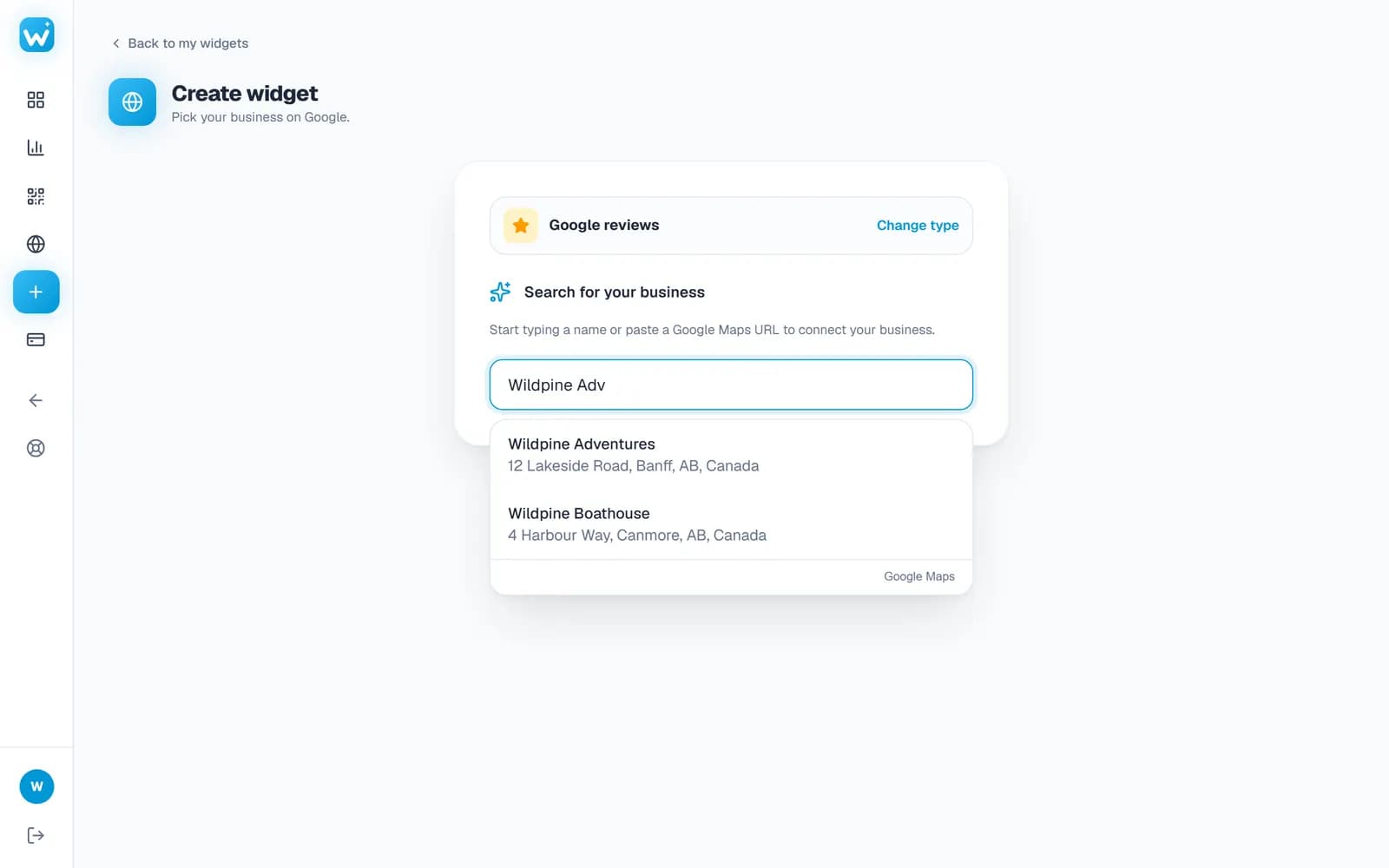
Find your business
Type your business name and pick it from the list, or paste its Google Maps link. We read its public Google reviews, so there is no Google login, no API key and nothing to connect.
- Works for any business with a Google Maps listing
- The first read of a business takes a minute or two; after that it is instant
- Step 2
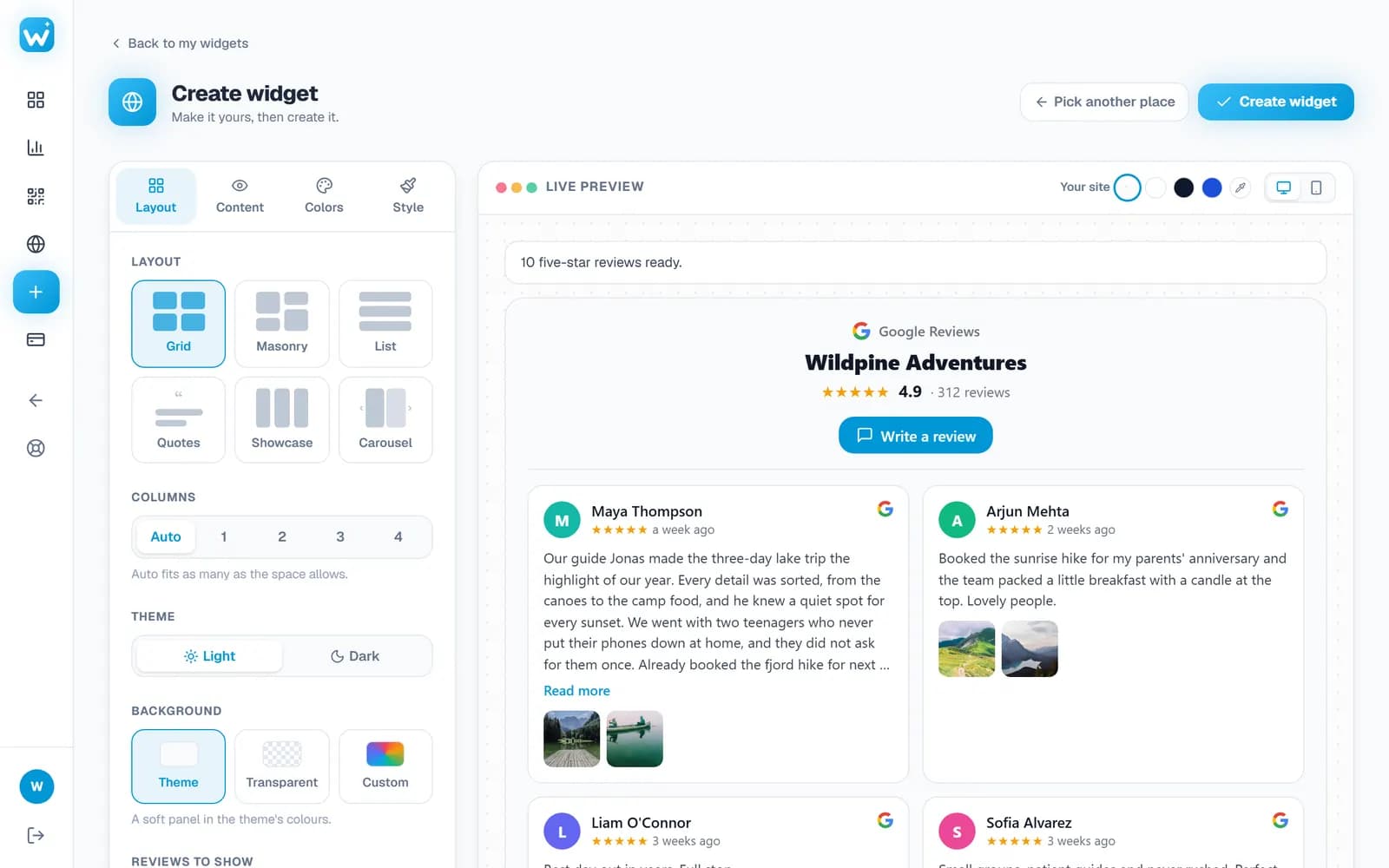
Choose a design
Pick one of six layouts, light or dark, your colours, corners and buttons. The live preview shows your real reviews exactly as visitors will see them, on a computer or a phone.
- Switch the preview between desktop and phone
- Change the design any time; your site follows on its own
- Step 3
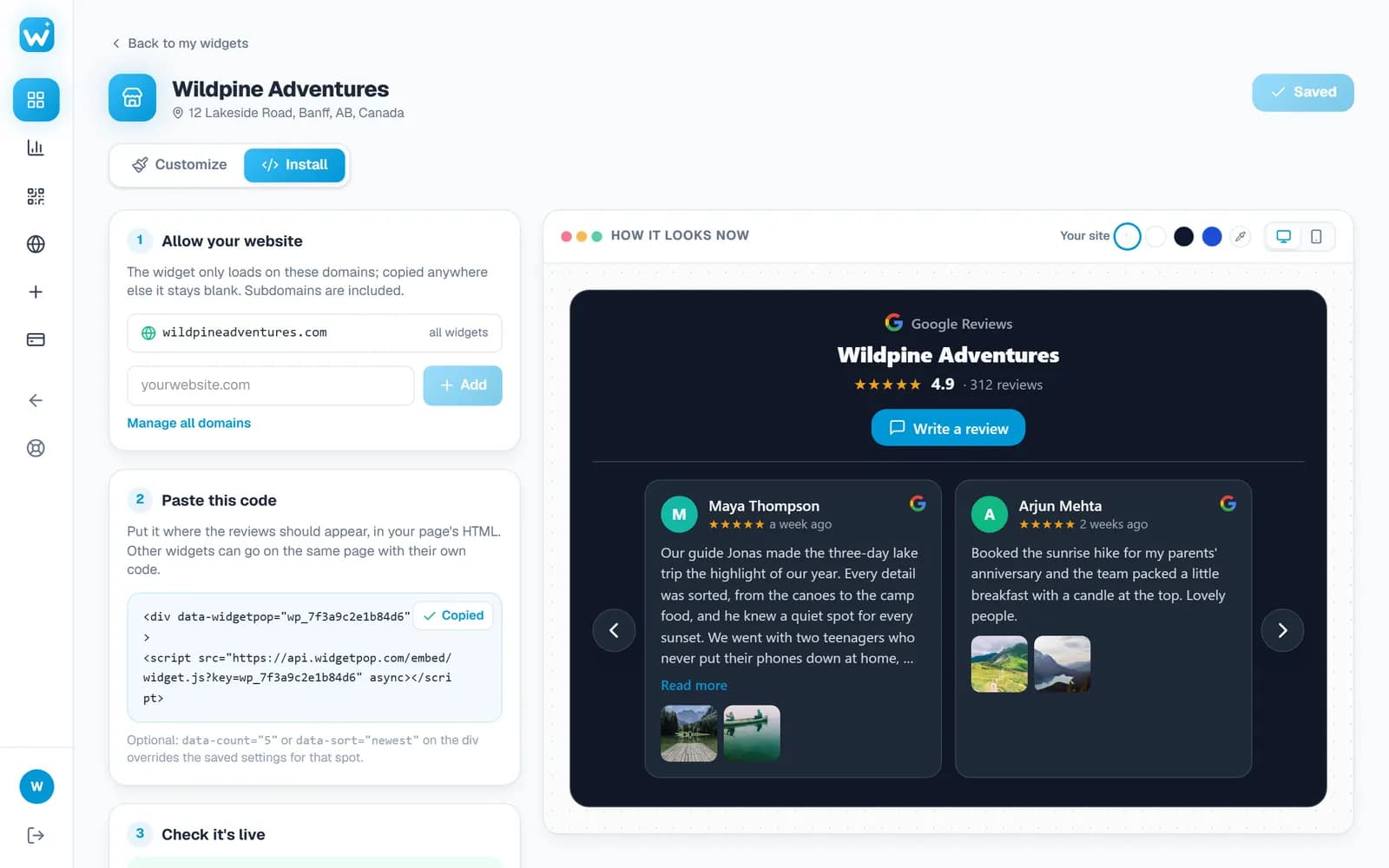
Paste one line of code
Add your website's address, copy the embed code and paste it into your site once. New reviews and design changes show up by themselves from then on.
- The widget only loads on the websites you add
- Check it's live tells you when your site is showing it
Watch
See it from start to finish
Features
Everything a Google reviews widget should do
Your 5-star reviews
Visitors see your happiest customers, with your overall Google rating and review count beside them.
Updates itself
New reviews appear automatically, as often as every 24 hours. Nothing to copy by hand.
Six layouts
Carousel, grid, masonry, list, big quotes or a showcase row.
Matches your brand
Your colours, light or dark, rounded or square corners, and the button you want.
Review photos
Photos customers added open full screen, with arrows and swipe.
Made for phones
Readable cards on every screen, one per swipe on mobile.
Get more reviews
A review link and a printable QR poster for your counter, with scan counts (Pro and Business).
Built-in analytics
Views and clicks per day, per widget and per website.
Real screens
A closer look
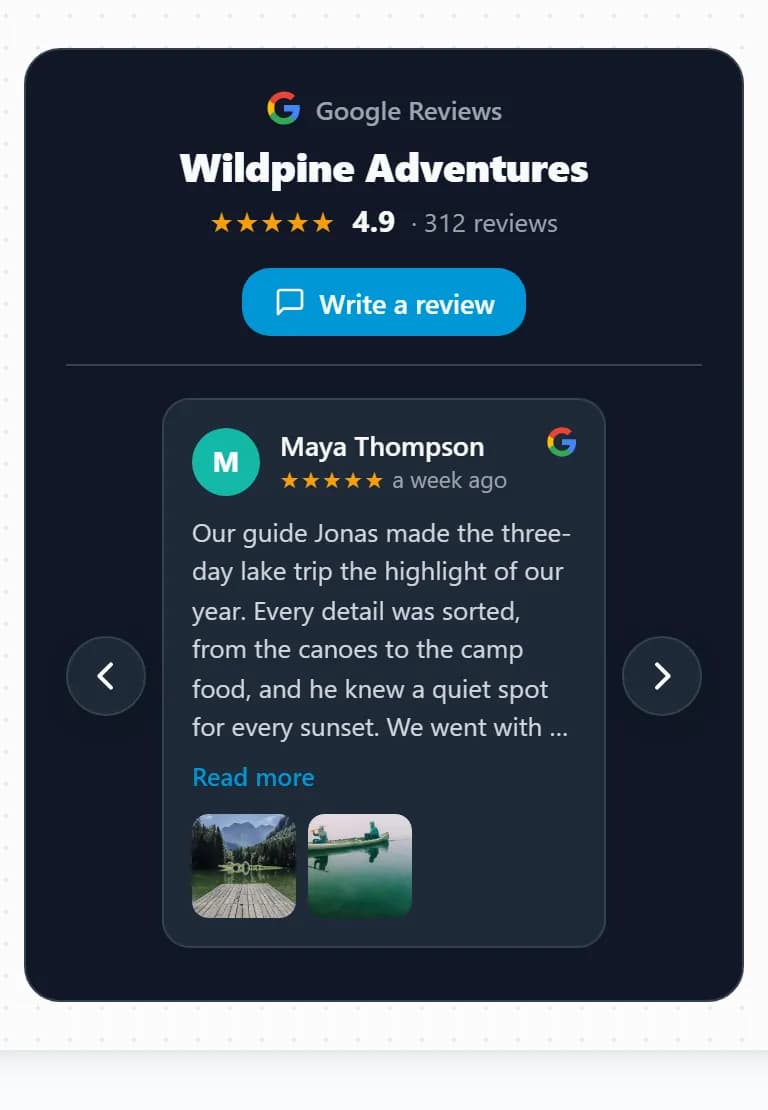
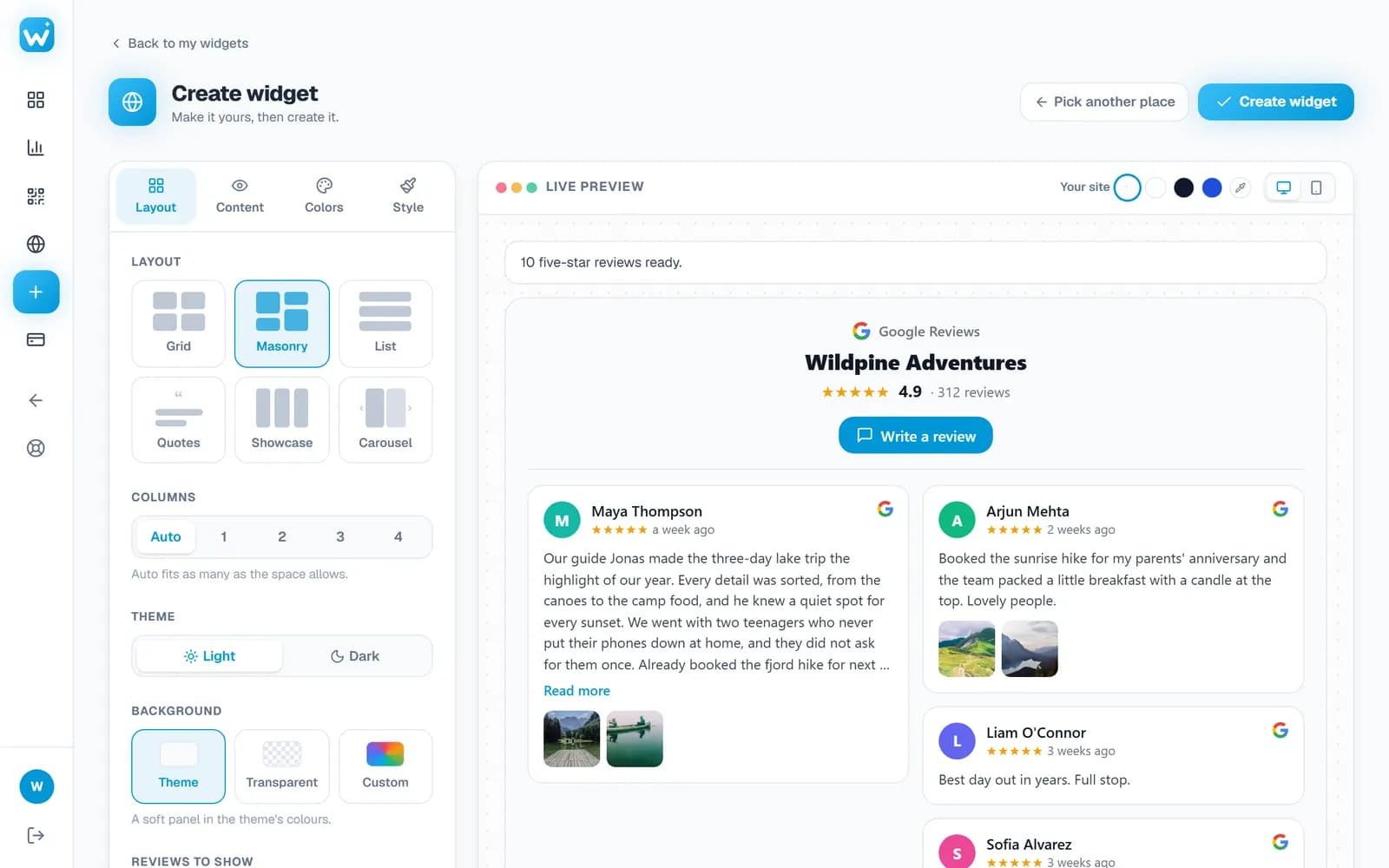
Designs
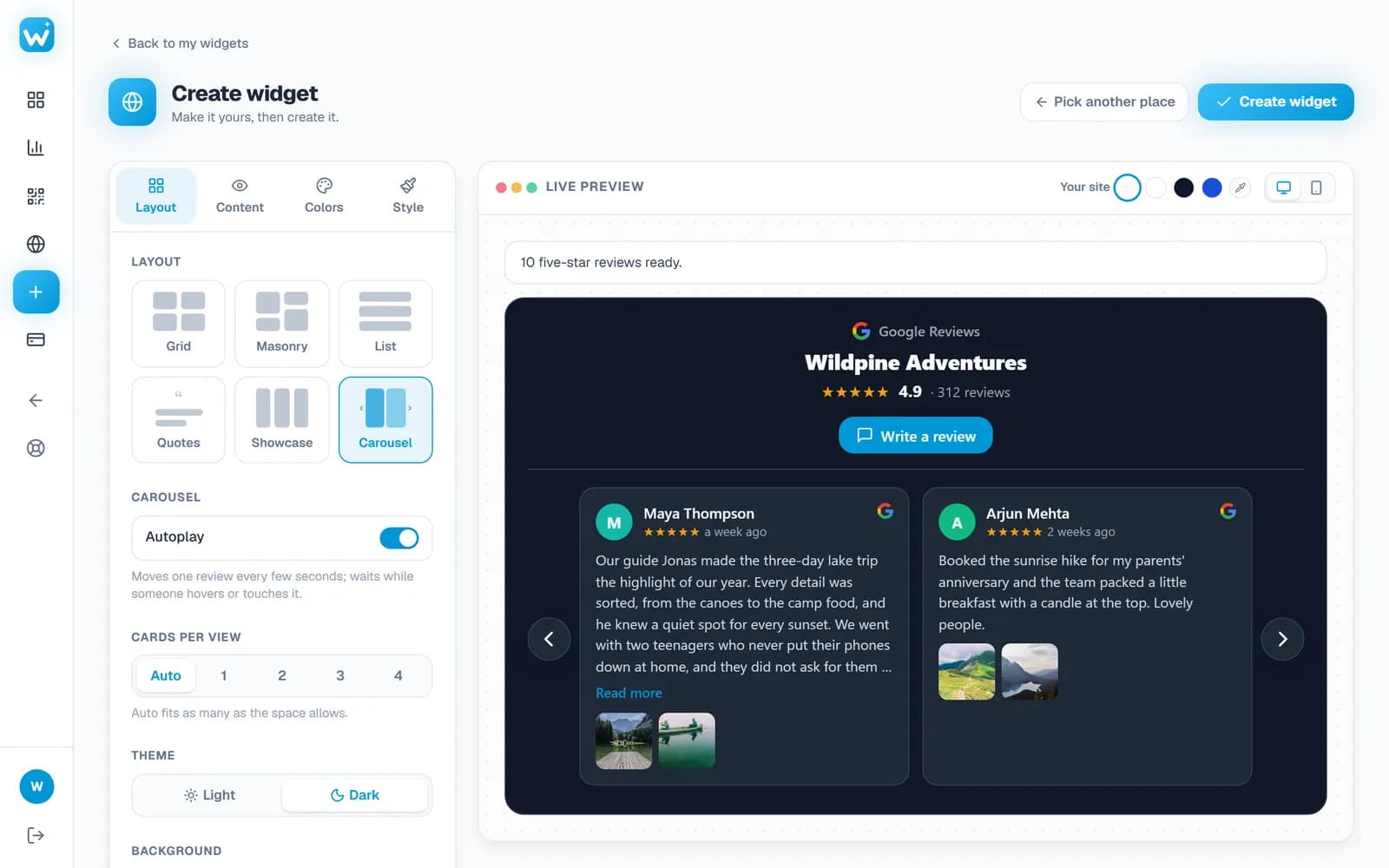
Six ways to show your reviews
Switch any time; your website updates on its next page load.
Carousel
A row of review cards that slides, with arrows and swipe.
Grid
Even rows of cards, great on a reviews or about page.
Masonry
Cards at their own height, packed like a wall of notes.
List
One review under another, for narrow spaces and sidebars.
Quotes
One big review at a time, for a home page hero.
Showcase
An even row of the best few, side by side.
Who it is for
Who uses a Google reviews widget
Restaurants and cafés
Next to the menu and the booking button, where people decide where to eat tonight.
Hotels and B&Bs
On the rooms page, so guests read what others loved before they book.
Salons, spas and clinics
Beside your services and prices, to answer “are they any good?” before it is asked.
Trades and home services
Plumbers, cleaners and builders: when a stranger chooses who to let into their home, reviews win the call.
Shops and online stores
On product and checkout pages, where a little trust turns a visit into an order.
Agencies and freelancers
On your home and contact pages, as proof from real clients.
Guide
Where to put Google reviews on your website
Reviews work best where a visitor is making up their mind. These are the places that tend to work:
On the home page, near the top
Many visitors never scroll far. A carousel or a showcase row under your headline shows your rating and your best reviews at a glance.
Next to your call to action
Put reviews beside the Book, Call or Buy button. The Quotes or List layout fits a narrow column next to a form.
On a reviews or testimonials page
Grid or Masonry shows many reviews at once, with a button to read all of them on Google.
On every page that sells
The same code can go on as many pages as you like. Your analytics show the views and clicks of each website.
Works everywhere
Add Google reviews to any website builder
Wherever you can paste HTML, the widget works. Copy the code from your dashboard, then:
- WordPress
- Add a Custom HTML block where the reviews should show, and paste the code.
- Shopify
- In the theme editor, add a Custom Liquid section and paste the code.
- Wix
- Add an Embed Code element (Embed HTML) and paste the code.
- Squarespace
- Add a Code block to the page and paste the code.
- Webflow
- Drag in an Embed element and paste the code.
- GoDaddy
- Add an HTML section in the Website Builder and paste the code.
- Any HTML site
- Paste the two lines where the reviews should appear, before the closing body tag or anywhere in the page.
FAQ
Google reviews widget: questions
How do I add Google reviews to my website?
Create a free account, find your business by name or Google Maps link, pick a design and paste the one-line embed code into your website. The widget shows your reviews and keeps them up to date.
Can I use Google reviews on my website?
Yes. Showing your own business's public Google reviews on your website is common, and the widget links each one back to Google and shows your overall rating. Only add businesses you own or are allowed to represent.
Is the Google reviews widget free?
Yes, there is a free plan with one widget, no credit card needed. Paid plans add more reviews, more widgets, faster updates and Pro designs.
Do I need to log in to Google or create an API key?
No. Search for your business or paste its Google Maps link. There is no Google login, no Places API key and nothing to configure.
How do I embed Google reviews on Wix, Squarespace or Shopify?
Copy the embed code from your dashboard, then add an HTML or code element on the page (Embed Code in Wix, a Code block in Squarespace, a Custom Liquid section in Shopify) and paste it there.
How do I add Google reviews to a WordPress website?
Add a Custom HTML block where the reviews should appear and paste the embed code. No plugin is needed, and it works with any theme or page builder.
Will new Google reviews show up on my website automatically?
Yes. The widget refreshes your reviews on its own, every 24 hours on paid plans and every few days on the free plan.
Will the widget slow down my website?
No. It is one small script that loads after your page and only draws where you place it.
More widgets
One account, every widget
Use them together on the same site, from the same dashboard.


Put your Google reviews on your website today
Free plan, no credit card. Setup takes about two minutes.
Create your free widget