A social media wall for your website
Put your best Instagram posts, YouTube videos and Shorts, and your own photos and clips on your website, in one beautiful wall. Paste the links, add your own title and description to each, and paste one line of code.
- Free plan
- No credit card
- Works on any website
yourwebsite.com
The real widget, with a sample business. Click any post to open it.
How it works
How to embed Instagram posts and YouTube Shorts on your website
Paste links, write your words, paste the code.
- Step 1
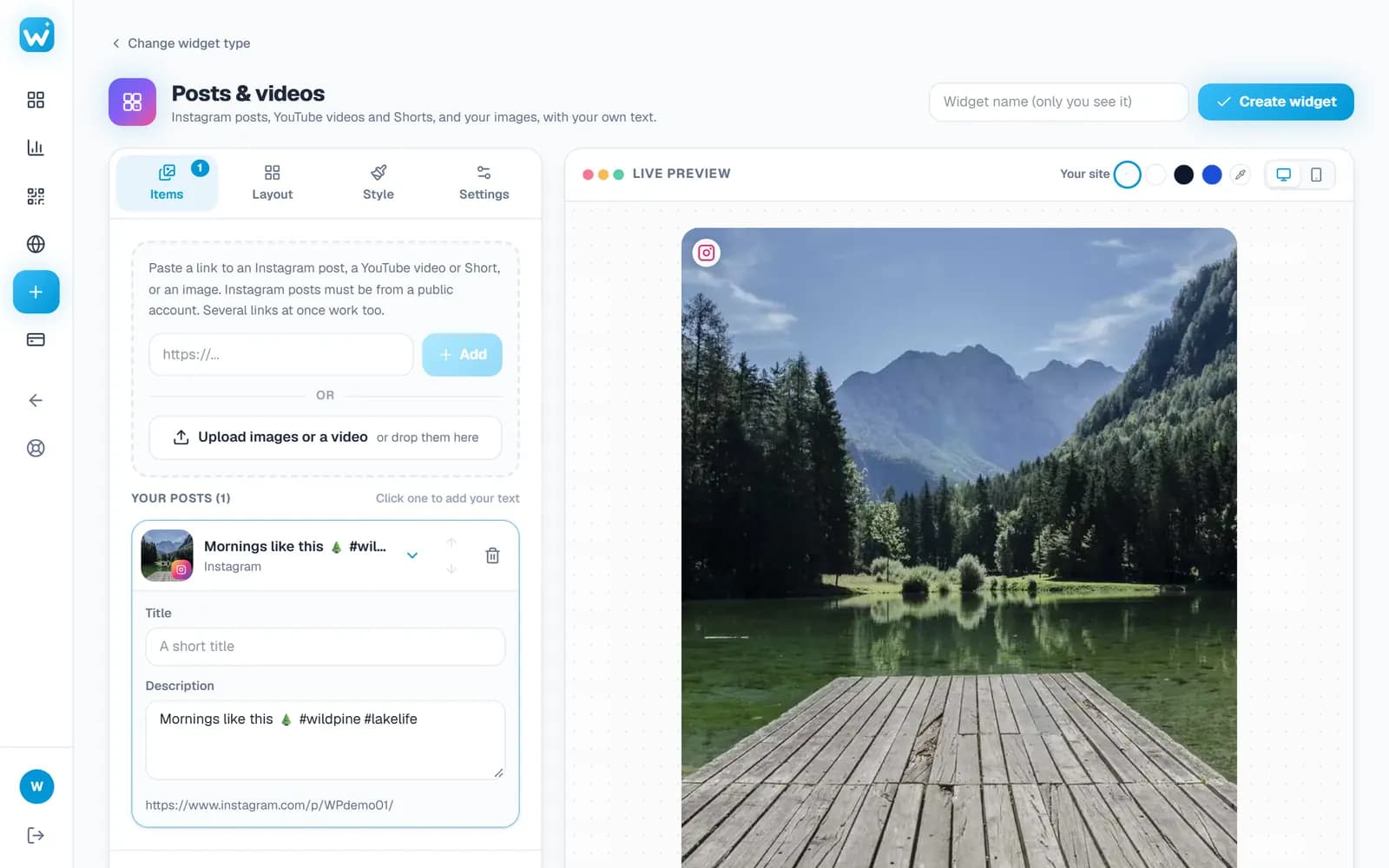
Paste your links or upload
Paste an Instagram post, a YouTube video or Short, or an image link; several at once work too. Or upload your own images (and, on Pro, short MP4 videos).
- Pictures, captions and video titles fill in by themselves
- Posts, videos and your own photos in one wall
- Step 2
Add your own words and pick a look
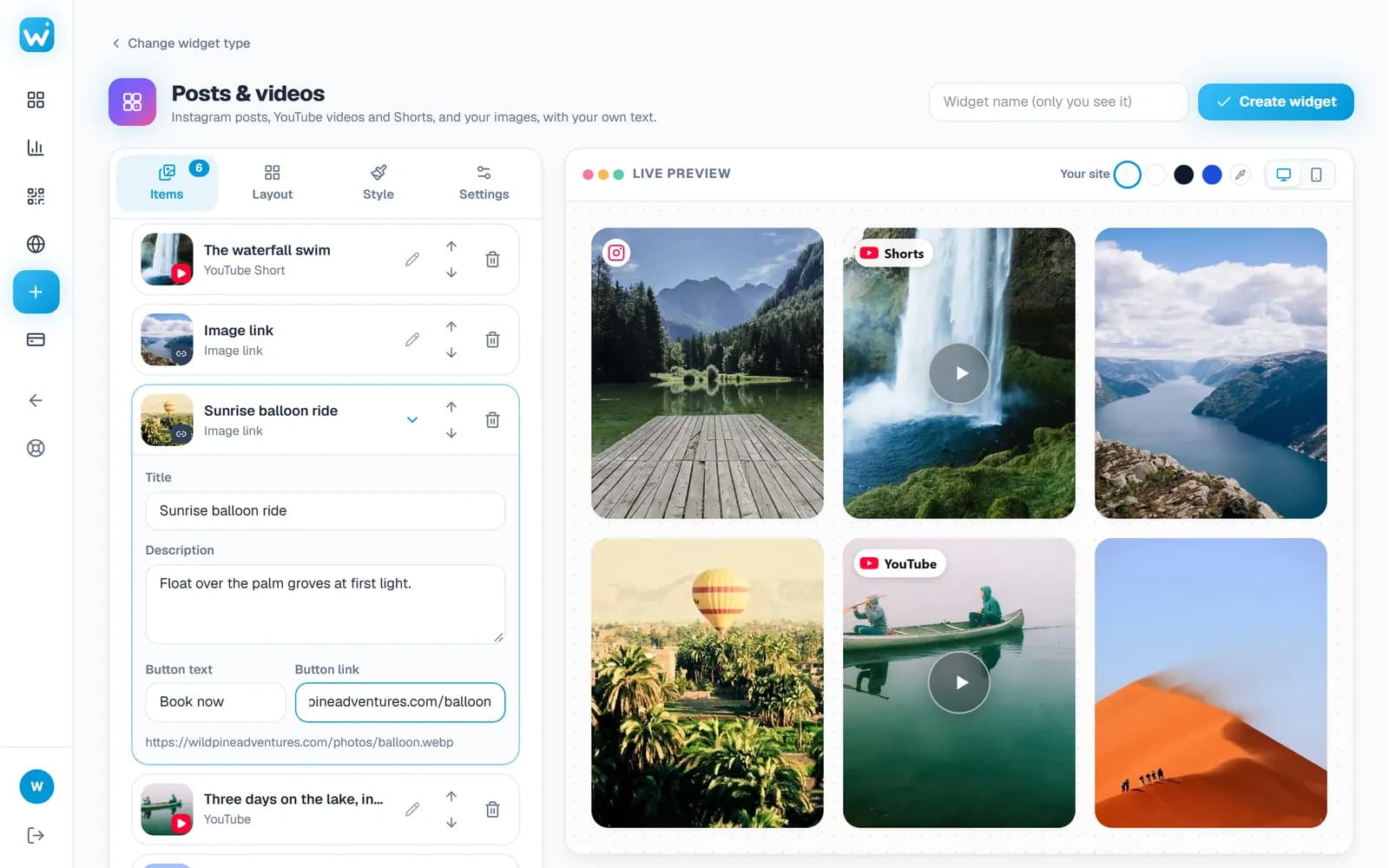
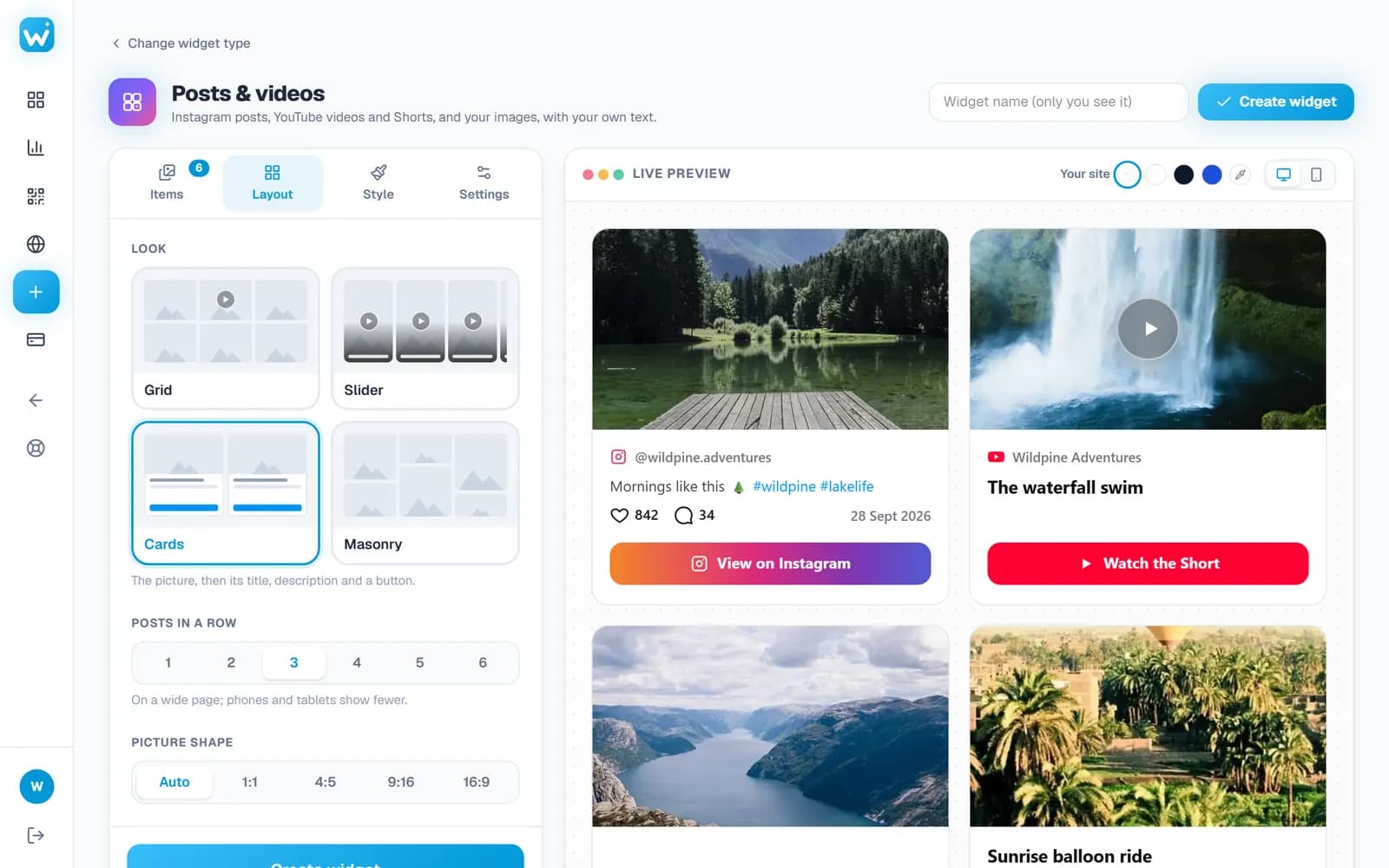
Give each item a title, a description and, on your own images, a button such as Shop now. Then choose Grid, Slider, Cards or Masonry.
- Use the arrows to put the items in order
- A button such as Book now on your own images, linking where you want
- Step 3
Paste the embed code
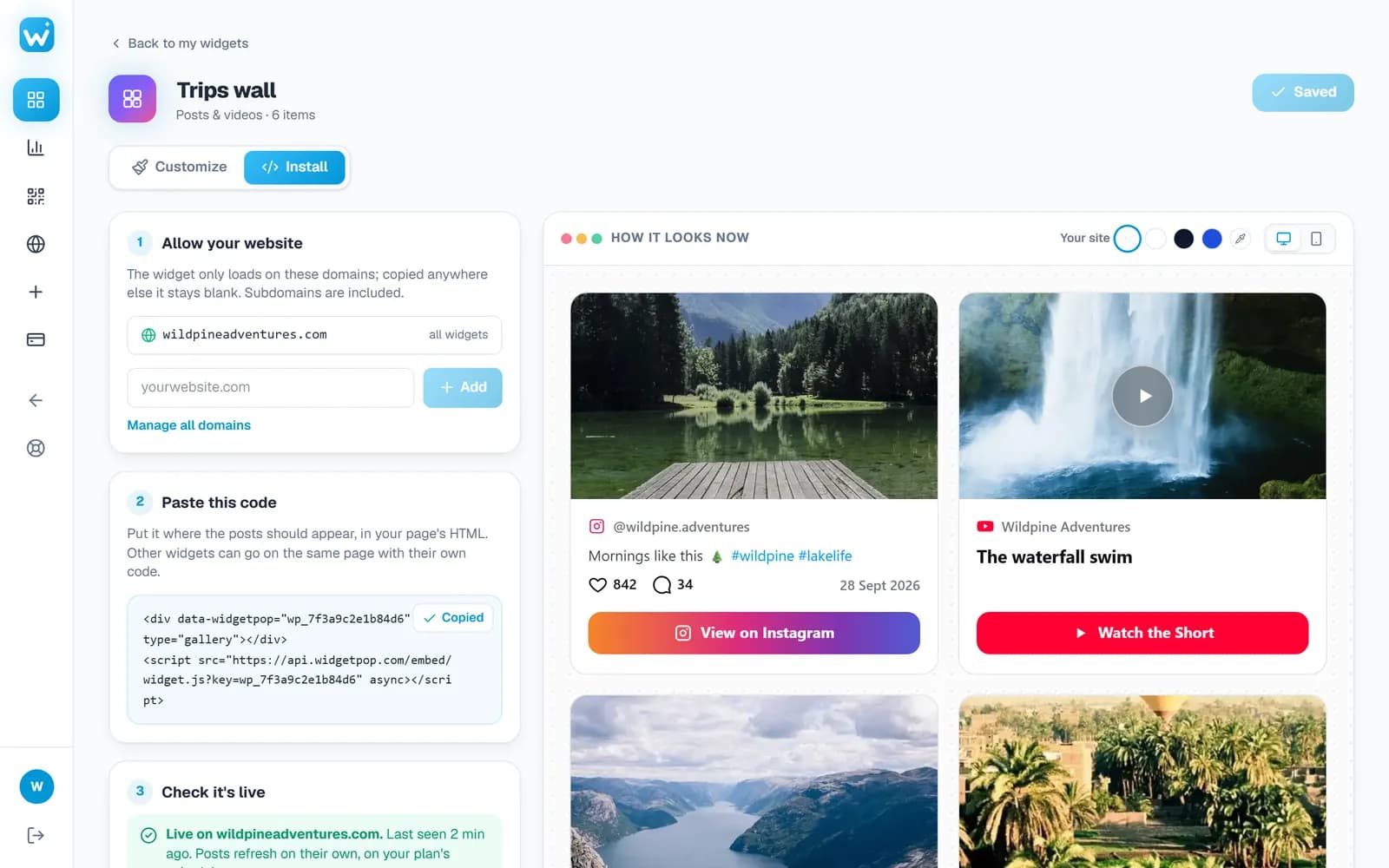
Copy one line into your website. Change the items any time in your dashboard; your site updates without touching the code.
- YouTube videos and Shorts play in a popup on your page
- Check it's live tells you when your site shows the wall
Watch
See it from start to finish
Features
Everything in one wall
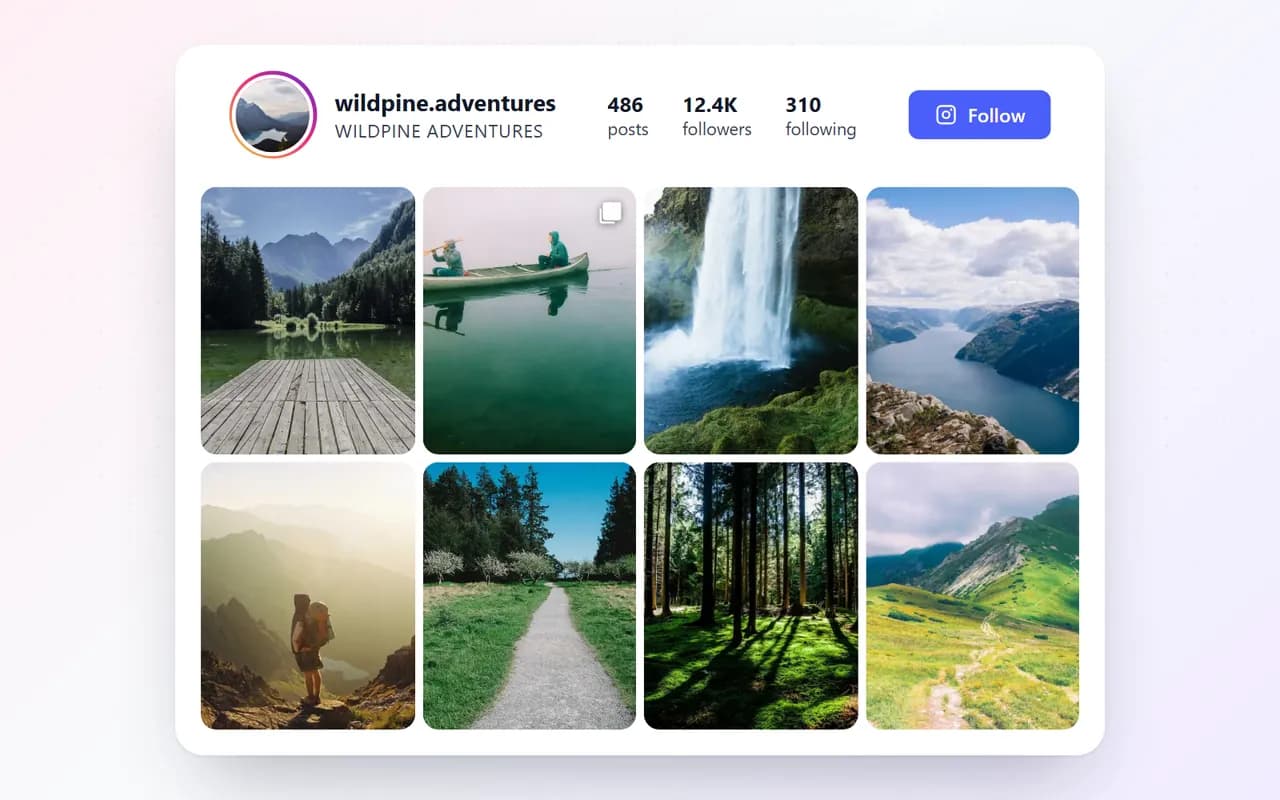
Instagram, YouTube and Shorts
Paste a post or video link; its picture, caption or title come in by themselves.
Your own photos and videos
Upload images on every plan; on Pro, an MP4 of up to 60 seconds that plays silently on hover.
Your title and description
On the picture as an overlay, or under it on a card; with a button on your own images.
Videos play on your site
YouTube videos and Shorts play in a popup without leaving your page.
Four looks
Grid and Cards on every plan; Slider (like YouTube Shorts) and Masonry on Pro. 1 to 6 per row.
Animations
Items fade, slide or zoom in as visitors scroll, and zoom or lift on hover (Pro).
Your colours
Light or dark, corners, spacing (or none), and your brand colours.
Swipe on phones
Clean pictures with titles on phones, a swipeable row in the slider.
Real screens
A closer look
Designs
Four looks for your wall
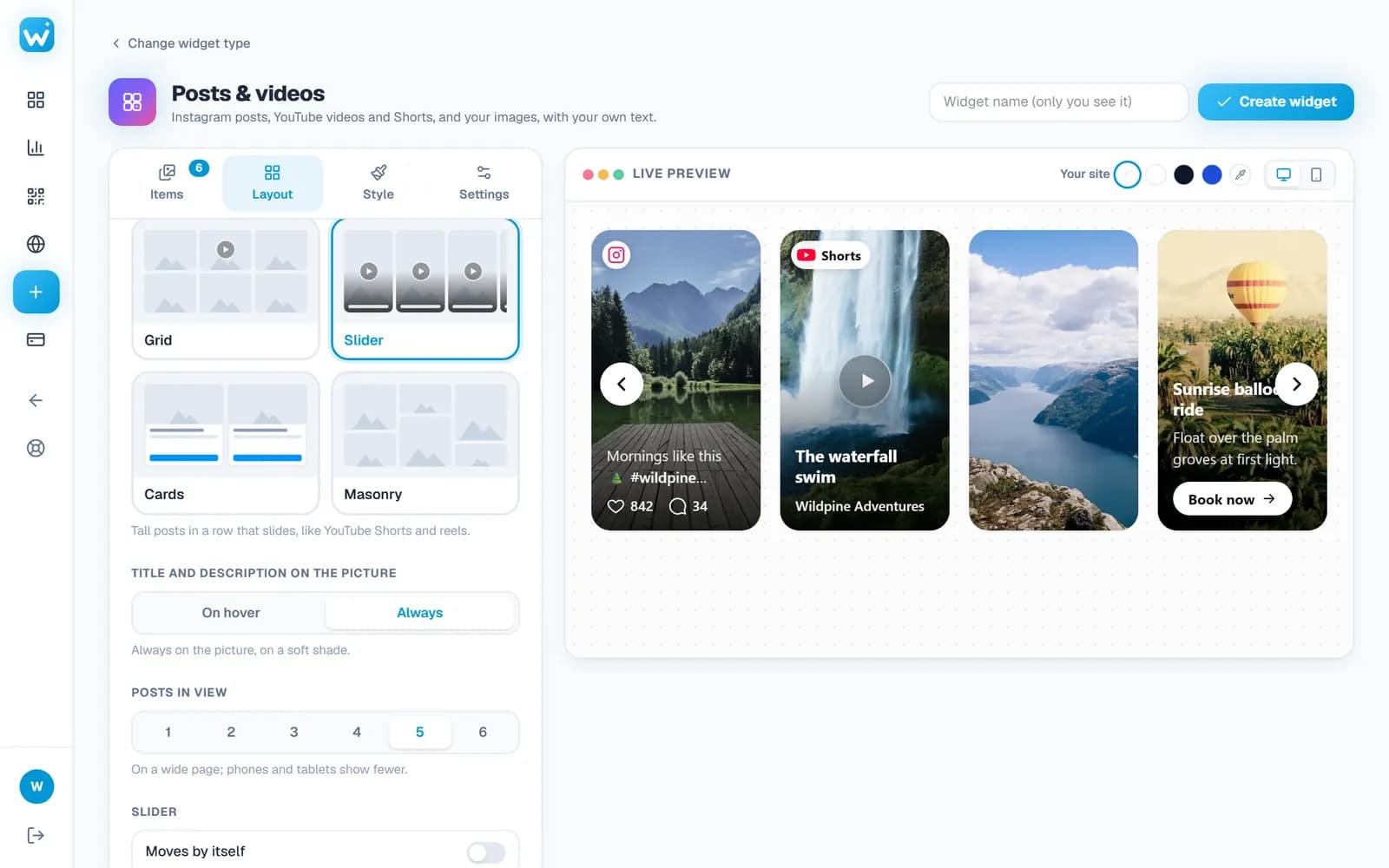
Each one works with every kind of item: posts, videos, Shorts and your uploads.
Grid
Even rows; the title and description appear on the picture when the mouse is over it.
Slider
Tall cards in a row that slides, like YouTube Shorts and reels (Pro).
Cards
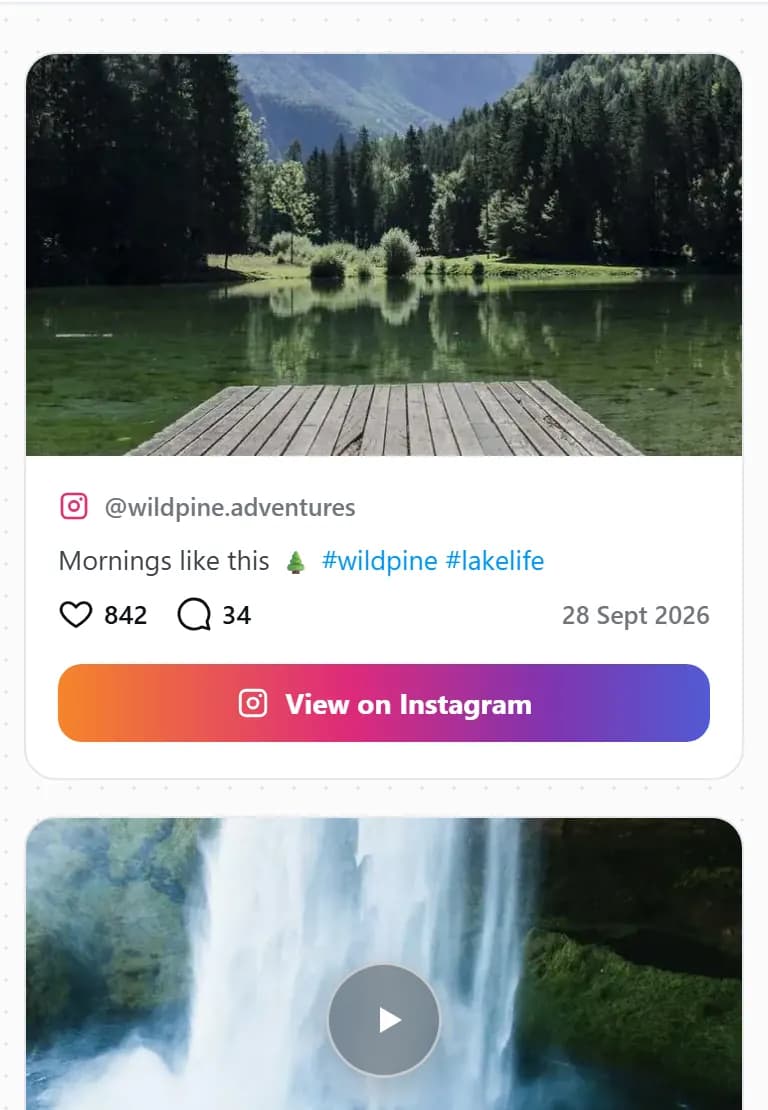
The picture, then its title, description and a button.
Masonry
Each picture at its own height, packed with no gaps, like Pinterest (Pro).
Who it is for
Ideas for your wall
Product launches
Your launch reel, a YouTube review and photos of the product, each with a Shop now button.
Tours and travel
Trip videos and guests' posts, with Book now on every trip.
Restaurants and bars
Dishes from your Instagram and a short video of the kitchen, on the home page.
Events and venues
The best moments of the last event, to sell tickets for the next one.
Real estate
Property tours from YouTube beside photos of each room.
Creators and coaches
Your best Shorts and posts in one place, with a link to book a call.
Guide
How to build a social wall that sells
A wall works best when it is short, chosen with care and clear about what to do next.
Choose your best, not everything
A few strong items beat a long list. Put the one you most want seen first.
Say what each one is
Swap a long caption for your own short title and one line of description.
Give people a next step
On your own images, add a button such as Book now or Shop now that links to the right page.
Match the look to the content
Slider for vertical videos and reels, Cards for products with a button, Grid or Masonry for a mix of photos.
Works everywhere
Embed your social wall anywhere
Copy the embed code from your dashboard, then:
- WordPress
- Add a Custom HTML block and paste the code.
- Shopify
- Add a Custom Liquid section and paste the code, on a product or home page.
- Wix
- Add an Embed Code element and paste the code.
- Squarespace
- Add a Code block and paste the code.
- Webflow
- Drag in an Embed element and paste the code.
- Any HTML site
- Paste the two lines where the wall should appear.
FAQ
Social media wall: questions
How do I embed YouTube Shorts on my website?
Paste the Short's link into the widget, pick the Slider look (tall cards like the Shorts shelf) and paste the embed code into your site. The Short plays in a popup on your page.
Can I embed a single Instagram post on my website?
Yes. Paste the post's link (on Instagram tap the three dots, then Copy link). It shows with its photo and caption (likes and comments too on paid plans), and you can replace the caption with your own words. The post must be from a public account.
Can I add my own title and description to each post?
Yes. Every item can have your own title and description, shown on the picture or under it. A post's caption and a video's title fill in by themselves, ready to edit.
Can I upload my own images and videos?
Yes. JPG, PNG, WebP and GIF images on every plan, and on Pro, MP4 videos of up to 60 seconds and 25 MB. Videos play silently on hover and with sound in the popup.
What is a social media wall?
A section of your website that shows social posts and videos together, so visitors see your products, work and community without leaving your site.
How many items can one wall show?
Six on the free plan, 30 on Pro and 100 on Business.
Does it work on WordPress, Shopify and Wix?
Yes, on any site where you can paste HTML: WordPress, Shopify, Wix, Squarespace, Webflow or your own code.
Will it slow down my website?
No. It loads after your page, pictures load as they come into view, and videos only load when someone plays them.
More widgets
One account, every widget
Use them together on the same site, from the same dashboard.
Build your social media wall
Free plan, no credit card. Paste your first link in seconds.
Create your free widget