Help center

Account and billing

  • Plans, upgrades and cancelling
  • See how your widgets do
  • Log in, password and account
Help center / Account and billing

Account and billing

See how your widgets do

Views and clicks per day, per widget and per website.

  1. 1Open Analytics in the menu.
  2. 2Pick how many days to look at.
  3. 3See how many times your widgets were seen and clicked, and on which website.
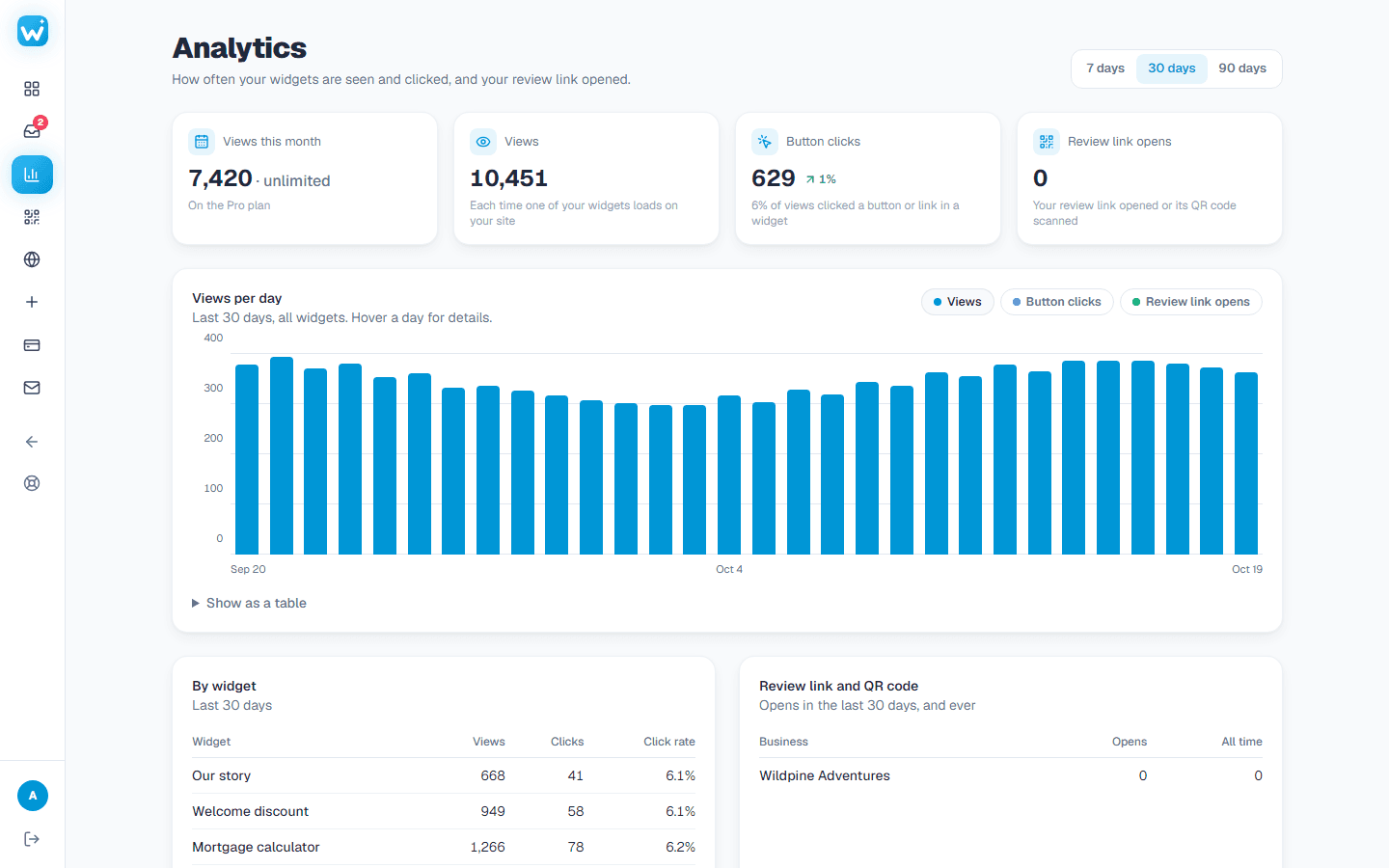
The Analytics page with views and clicks per day

Related guides

  • Plans, upgrades and cancellingWhat each plan includes, how to upgrade, and how to cancel.

Still need help?

Tell us what you're trying to do. A real person replies, usually within one working day.

Email support

Add your first widget in two minutes

Free plan, no card needed. Copy one line of code and you are live.

Start free
WidgetPop

Ready-made widgets for any website: reviews, posts, forms, popups and more. They keep themselves up to date.

[email protected]

Widgets

  • Google Reviews
  • Instagram Feed
  • Contact Form
  • Popup
  • Calculator
  • Social Media Wall
  • Countdown Timer
  • Timeline
  • Number Counter
  • Logo Showcase

Product

  • Pricing
  • All widgets
  • Dashboard
  • Log in

Help

  • Help center
  • FAQ
  • Terms
  • Privacy
  • Refunds

© 2026 WidgetPop. All rights reserved.

WidgetPop is not affiliated with or endorsed by Google or any other platform whose content it shows. Google is a trademark of Google LLC; other names and logos belong to their owners.

WidgetPop
PricingHelp