Add a popup to your website
A discount when someone is about to leave, a sign-up form after a few seconds, a bar about free shipping, or a wheel to spin for a prize. Build it from blocks, choose when it shows, and paste one line of code.
- Free plan
- No credit card
- Works on any website
yourwebsite.com
The real popup, shown here in a frame instead of over the page.
How it works
How to add a popup to your website
Pick a popup, choose when it shows, paste the code.
Start from a ready popup
Flash sale, welcome discount, exit offer, spin to win, scratch card, newsletter, announcement bar, cookie notice, event countdown, WhatsApp chat and more.
Choose when and to whom
After a few seconds, after scrolling, when they move to leave, or on a click. On every page or some, on phones or computers, once or every visit.
Paste the embed code
Add your website, copy the code and paste it once, anywhere on the page. The popup takes care of where it shows.
Features
Popups that people don't hate
At the right moment
When someone moves to leave, after some seconds, after scrolling part of the page, or when they click your button.
Spin to win and scratch cards
A wheel to spin or a card to scratch, with the prize and its code shown at the end (paid plans).
Coupons and sign-ups
A code to copy in one click, or a form whose answers go straight to your Leads page.
Five layouts
A box in the middle, a corner slide-in, a top or bottom bar, a side drawer, or the full screen.
Buttons that do things
Open a page, start a WhatsApp chat, call, email, or add an event to their calendar.
See what works
How many people saw it, closed it and signed up. Try two versions and keep the better one (paid plans).
The right people
Pages, devices, new or returning visitors, countries, dates and hours, and where they came from (some on paid plans).
Kind on phones
A sheet from the bottom of the screen on a phone, easy to close, never in the way.
Designs
Five ways to show it
The same popup, placed where it works best.
Center box
The classic popup over a dimmed or blurred page.
Slide-in
A small card in a corner that doesn't block the page.
Bar
A slim line at the top or bottom, for free shipping or news.
Drawer
A panel from the side, with room for a form or a video.
Everything included
Everything in the popup widget
Every design and setting you can use. Most are on every plan; the few that need a paid plan say so.
Blocks
- Heading, text, icon, picture and button
- Coupon code with a copy button
- Countdown to a date
- A form, with answers saved in Leads
- Social links and a No thanks link
- Video, spin to win and scratch card (paid plans)
When it shows
- After some seconds, after scrolling, on exit, or on a click
- After some time doing nothing, or on reaching part of the page (paid plans)
- Every visit, once a day, once a week or only once
- Stops showing after someone signs up
Who sees it
- All pages, or pages you pick by their address
- Phones, tablets and computers, each on or off
- New or returning visitors, countries, dates and hours (paid plans)
- Visitors from an ad or a site you name (paid plans)
- A floating button that opens it again (paid plans)
Your look
- Center box, slide-in, bar, drawer, or full screen
- Pop, fade, slide, zoom or bounce in
- A picture on top, beside or behind the words
- Dim or blur the page behind, your colours and corners
Who it is for
What a popup is good for
Shops
10% off for a first order, shown when someone is about to leave.
Newsletters and guides
A free guide in return for an email, after someone has read half the article.
News and events
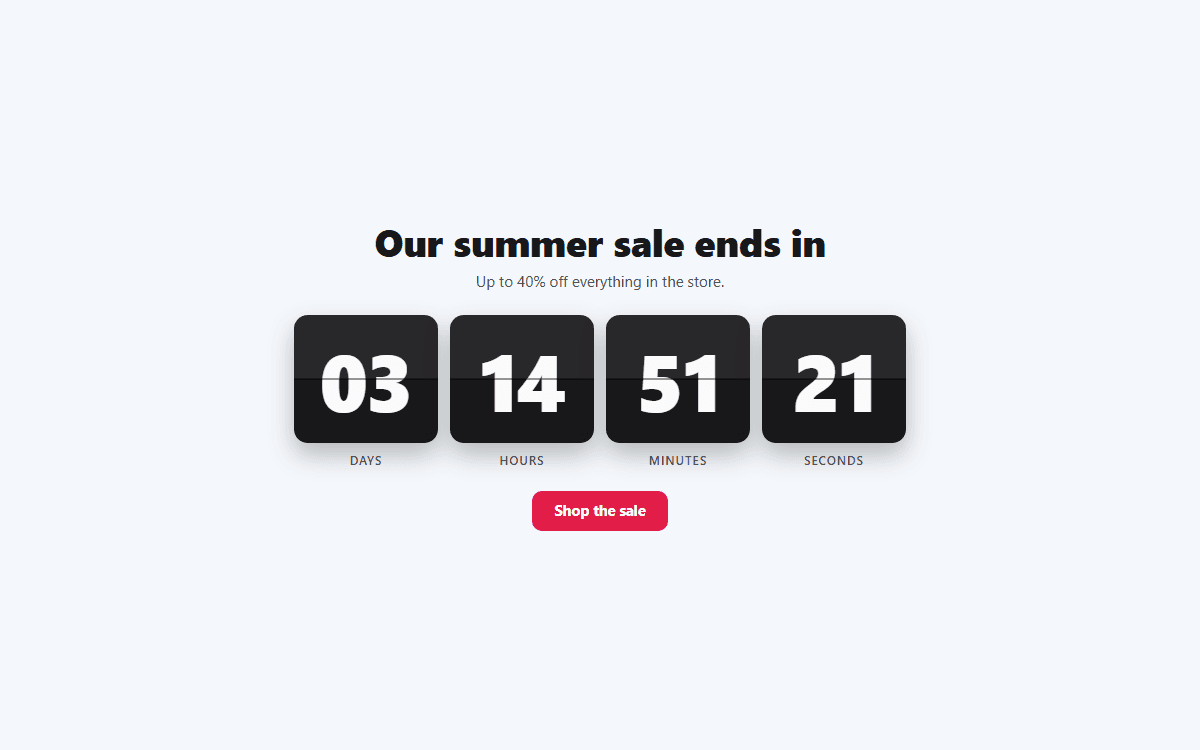
A top bar about opening hours, a sale or an event, with a countdown.
Works everywhere
Add your popup anywhere
Copy the embed code from your dashboard, then:
- WordPress
- Add a Custom HTML block (in the footer works well) and paste the code.
- Shopify
- Add a Custom Liquid section and paste the code.
- Wix
- Add an Embed Code element and paste the code.
- Squarespace
- Add a Code block and paste the code.
- Webflow
- Drag in an Embed element and paste the code.
- Any HTML site
- Paste the two lines anywhere in the page, once.
Common problems
Popup not showing? Check these first
Most problems have a quick fix. Find yours below.
It showed once and now it doesn't
That is how often you chose: once a day, once a week or only once remembers each visitor. Open your page in a private or incognito window to see it again.
The exit popup never shows on my phone
Phones have no mouse to move to the top of the screen, so exit intent can't tell when someone is leaving. Add a timed or scroll trigger for phones.
It doesn't show on some pages
Check the pages list in Who sees it. An address rule like contains /shop only matches pages with /shop in their address.
Nothing shows on my website
Add your website in the Install tab, under Allow your website, then open the live page (not your builder's editor). Still blank? Right-click the page, choose Inspect, and look for a [widgetpop] line in the Console tab.
Still stuck? Email [email protected] and we usually reply within a day.
Help center
Popup guides
Step by step, with screenshots of the dashboard.
FAQ
Popup widget: questions
How do I add a popup to my website?
Create a popup widget, start from a ready one, choose when it shows and paste the embed code anywhere in your page.
What is an exit intent popup?
One that shows when a visitor moves their mouse up to close the tab or go back. It is the last chance to offer a discount or a sign-up.
Will popups annoy my visitors?
Not if they show at the right time and not too often. Pick once a day or once a week, and stop showing it after someone signs up.
Is it free?
Yes. The free plan has the main layouts, blocks and triggers. Every layout and picture is free. Paid plans add spin to win, scratch cards, video, more targeting and A/B tests.
Will it slow down my website?
No. It loads after your page and waits quietly until its moment comes.
More widgets
One account, every widget
Use them together on the same site, from the same dashboard.
Pricing
Start free. Upgrade when it pays off.
No credit card to start. Cancel any time.
Starter
/month
- 1 website
- Unlimited widgets
- Unlimited views
- Remove “Powered by WidgetPop”
- Email support
Pro
/month
- 3 websites
- Unlimited widgets
- Unlimited views
- Remove “Powered by WidgetPop”
- Priority email support
Agency
/month
- 10 websites
- Unlimited widgets
- Unlimited views
- Remove “Powered by WidgetPop”
- Priority email + chat support
Pick any of our widgets on every plan. Analytics included.
Prices in US dollars. Tax, where it applies, is added at checkout.
Add a popup to your site
Free plan, no credit card. Start from a ready popup in a minute.
Create your free widget