Embed your Instagram feed on your website
Show your latest Instagram posts on any website with an Instagram widget that updates itself. Type your username, pick a layout, paste one line of code. No Instagram login, no app to connect, and a free plan to start.
- Free plan
- No credit card
- Works on any website
yourwebsite.com
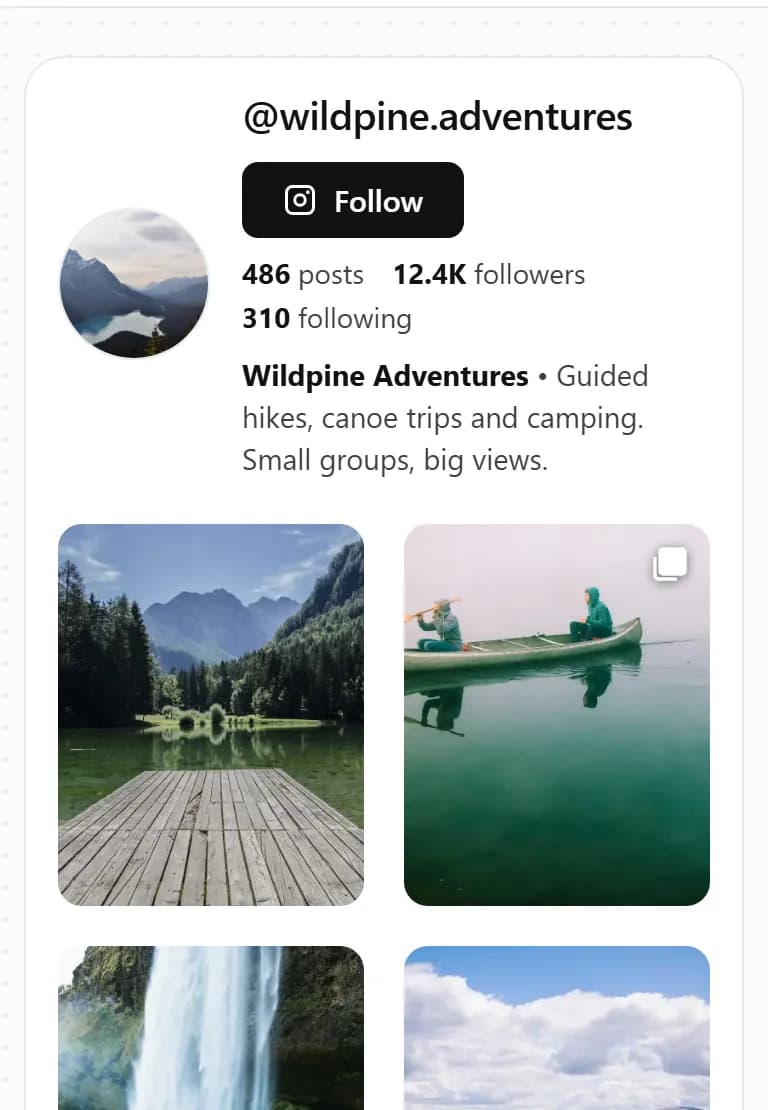
The real widget, with a sample business. Click any post to open it.
How it works
How to embed your Instagram feed on your website
Three steps, free, no coding.
- Step 1
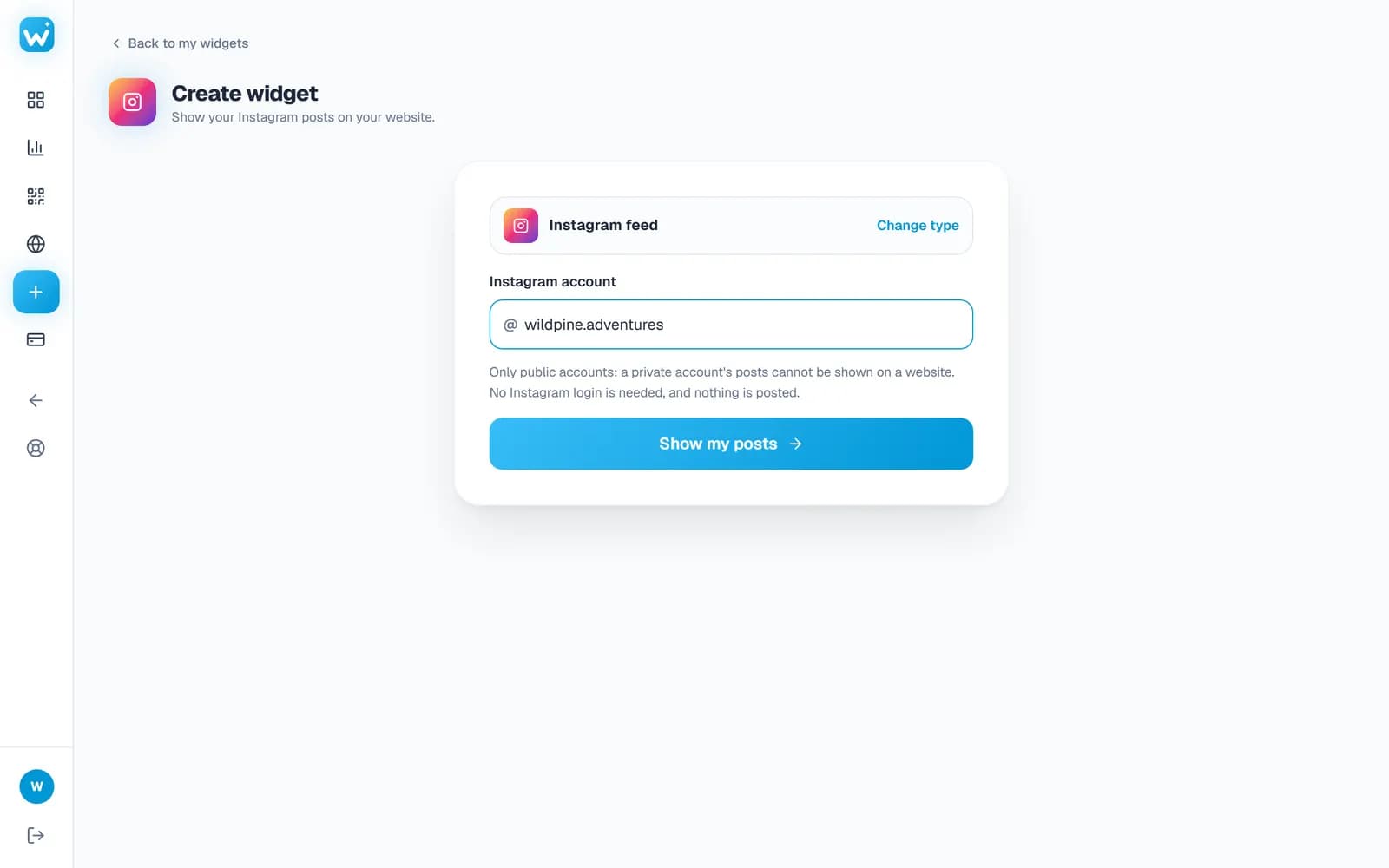
Type your Instagram username
Type the account's username or paste its profile link. Any public account works: business, creator or personal. You never give us your Instagram password, and nothing is ever posted.
- No Instagram login, no app to connect, no token that expires
- Your posts are ready in a few seconds
- Step 2
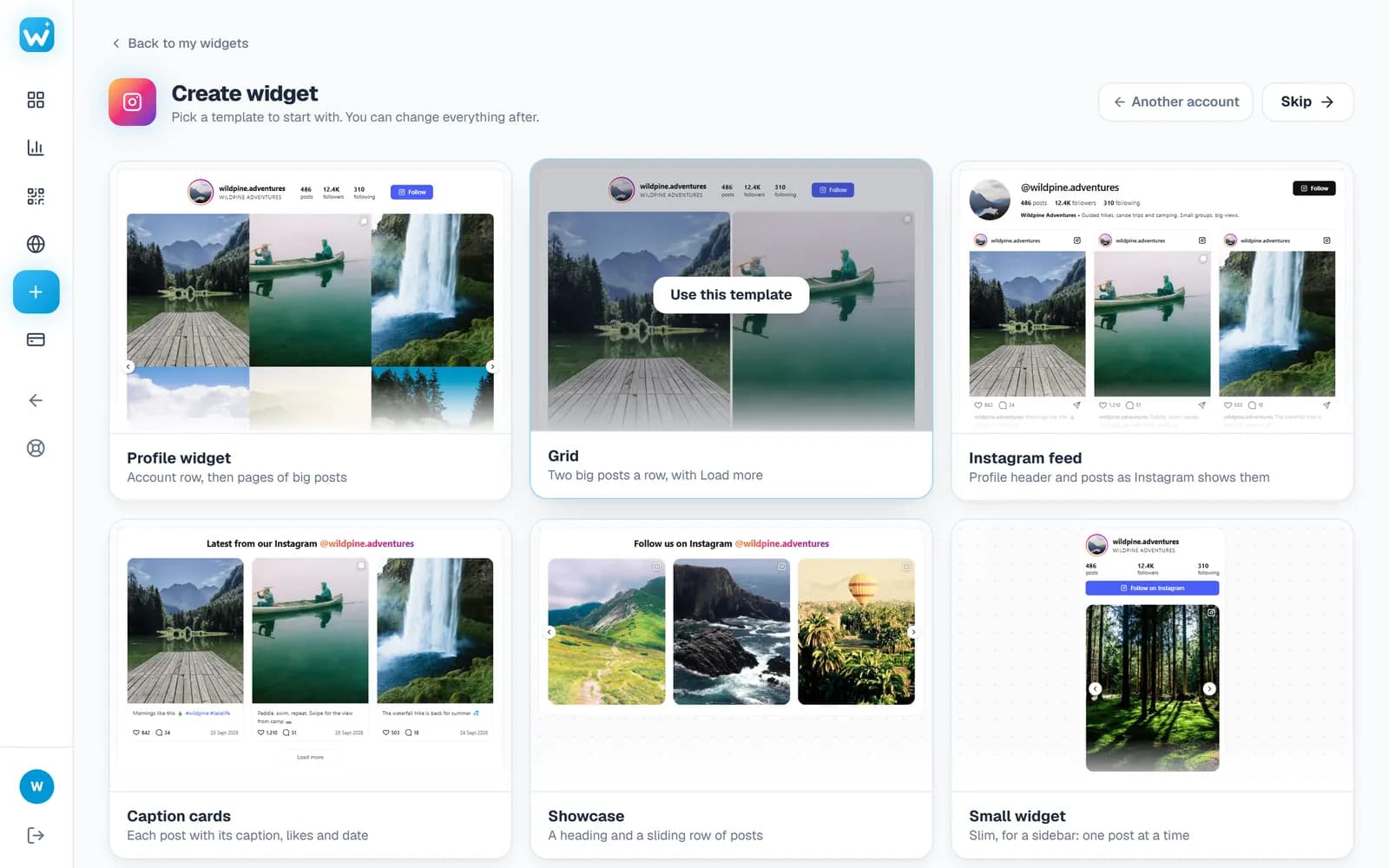
Pick a template, then make it yours
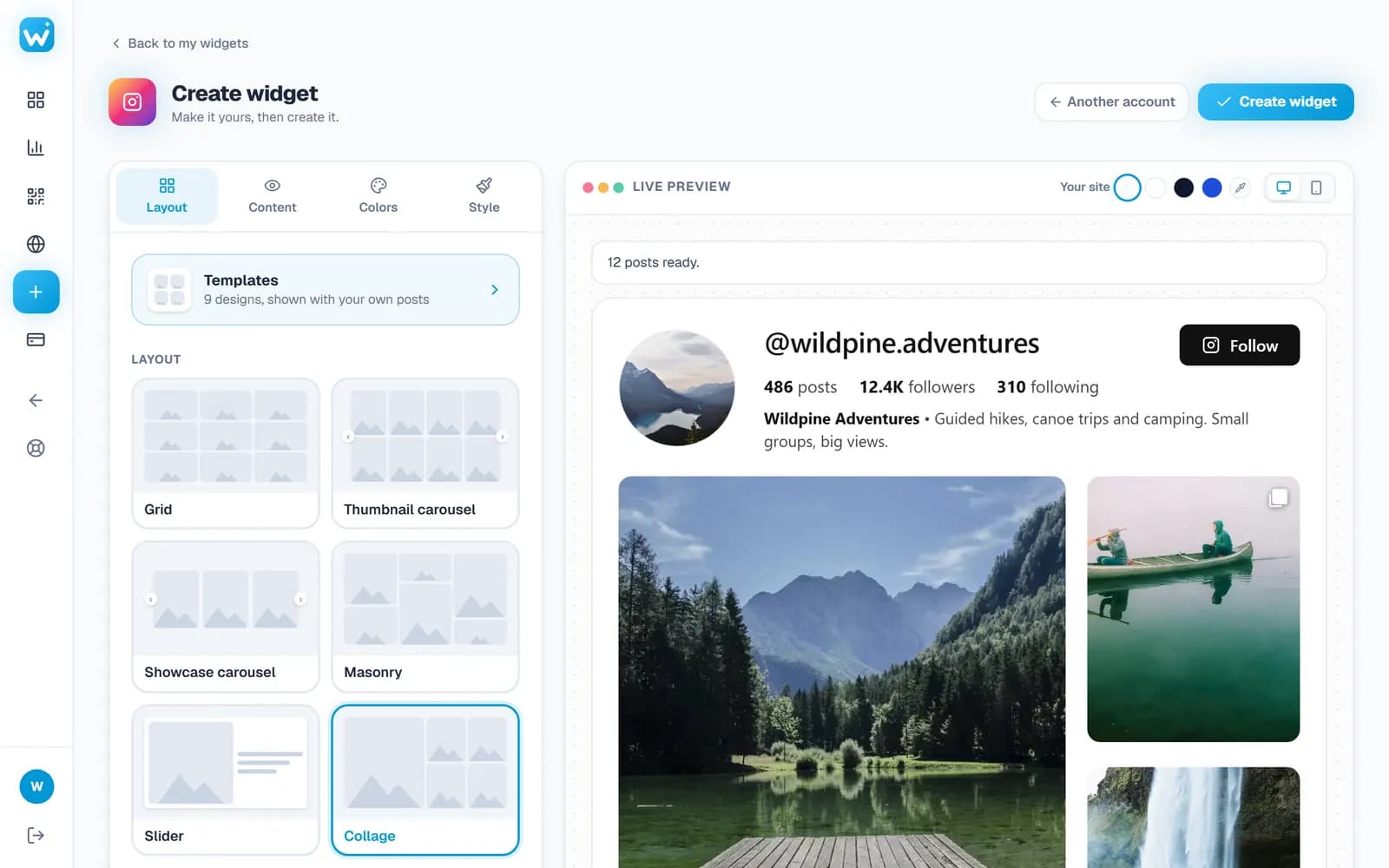
Start from a ready-made template, shown with your own posts. Then change the layout, the header, how each post looks and your colours; every change shows in the live preview.
- Grid, masonry, carousels, a slider or a collage
- Likes, comments and captions on hover or under each post
- Step 3
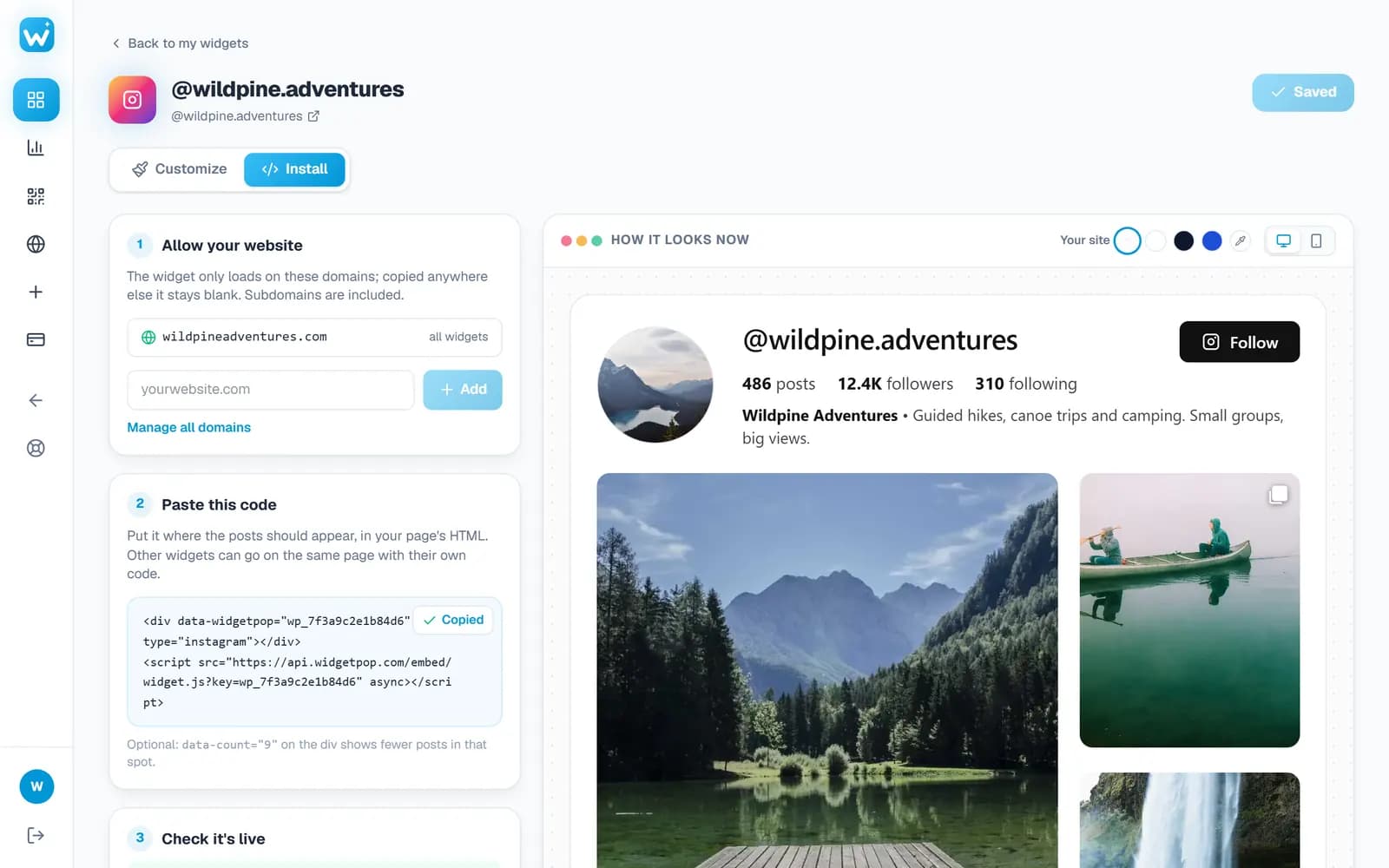
Paste the embed code
Add your website, copy one line of code and paste it where the feed should appear. New posts show up on their own; you never touch the code again.
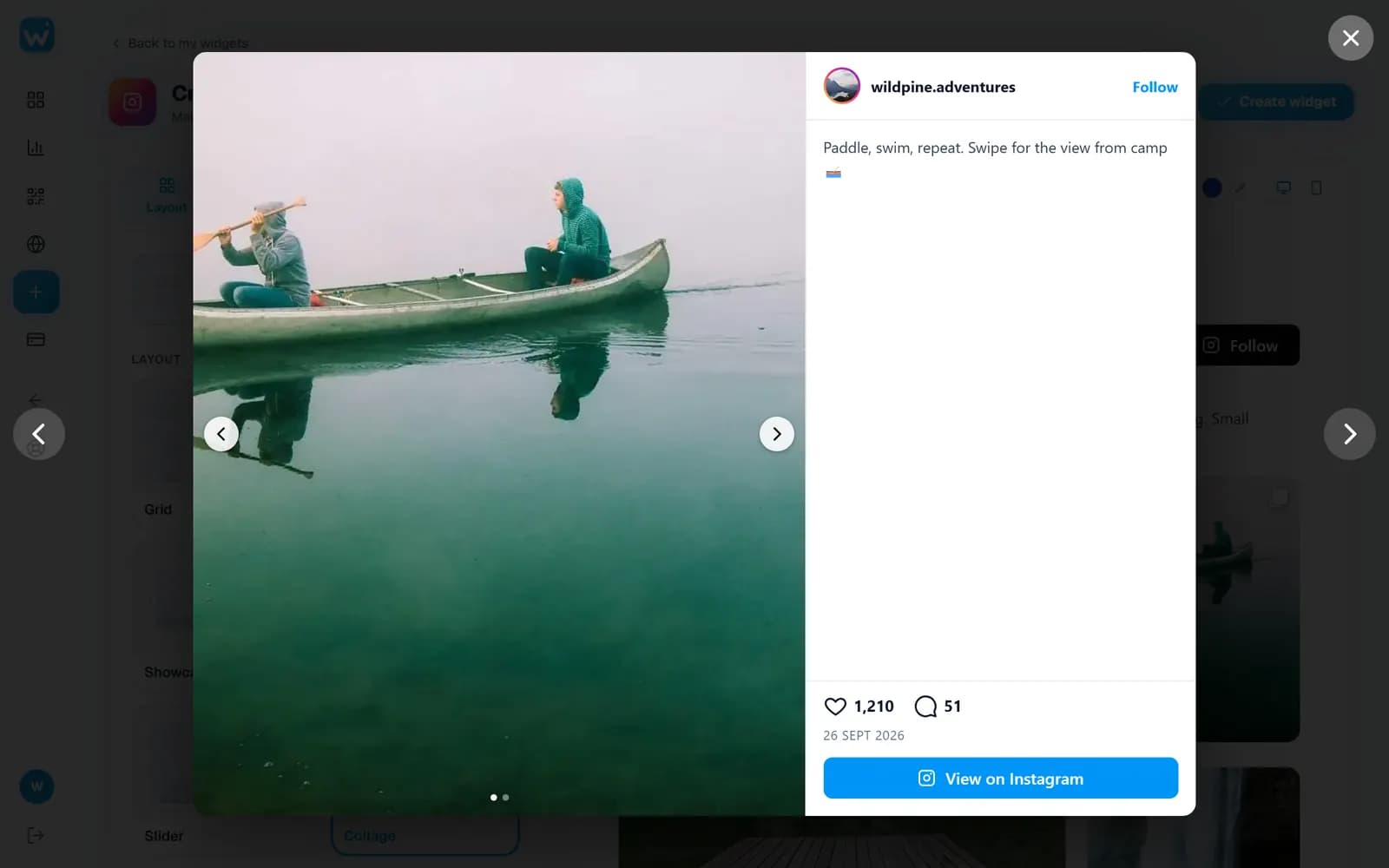
- Posts open in a popup on your page, so visitors stay on your site
- Change the design later without changing the code
Watch
See it from start to finish
Features
An Instagram widget your visitors will scroll
Your latest posts, automatically
New posts appear on their own, as often as every day. Up to 50 posts on Business.
Six layouts
Grid, masonry, thumbnail carousel, showcase carousel, slider and collage.
Likes and comments
Counts on hover or under each post, as on Instagram (paid plans).
Popup with videos and albums
Posts open large on your site: every photo of an album, reels and videos play.
Profile header and colours
Your photo, name, follower count and a Follow button, in your brand colours.
Animations
Posts fade, slide or zoom in as visitors scroll, with the hover effect you pick (Pro).
No Instagram login
Works with any public account. Nothing to connect, nothing to expire.
Fast on phones
Loads after your page, two posts side by side on a phone, swipe in carousels.
Real screens
A closer look
Designs
Instagram feed layouts
Try them all in the live preview before you put one on your site.
Grid
Your feed in even rows, like your Instagram profile, with a Load more button.
Masonry
Photos at their own height, packed with no gaps (Pro).
Thumbnail carousel
Pages of the grid that slide, to keep a long feed short.
Showcase carousel
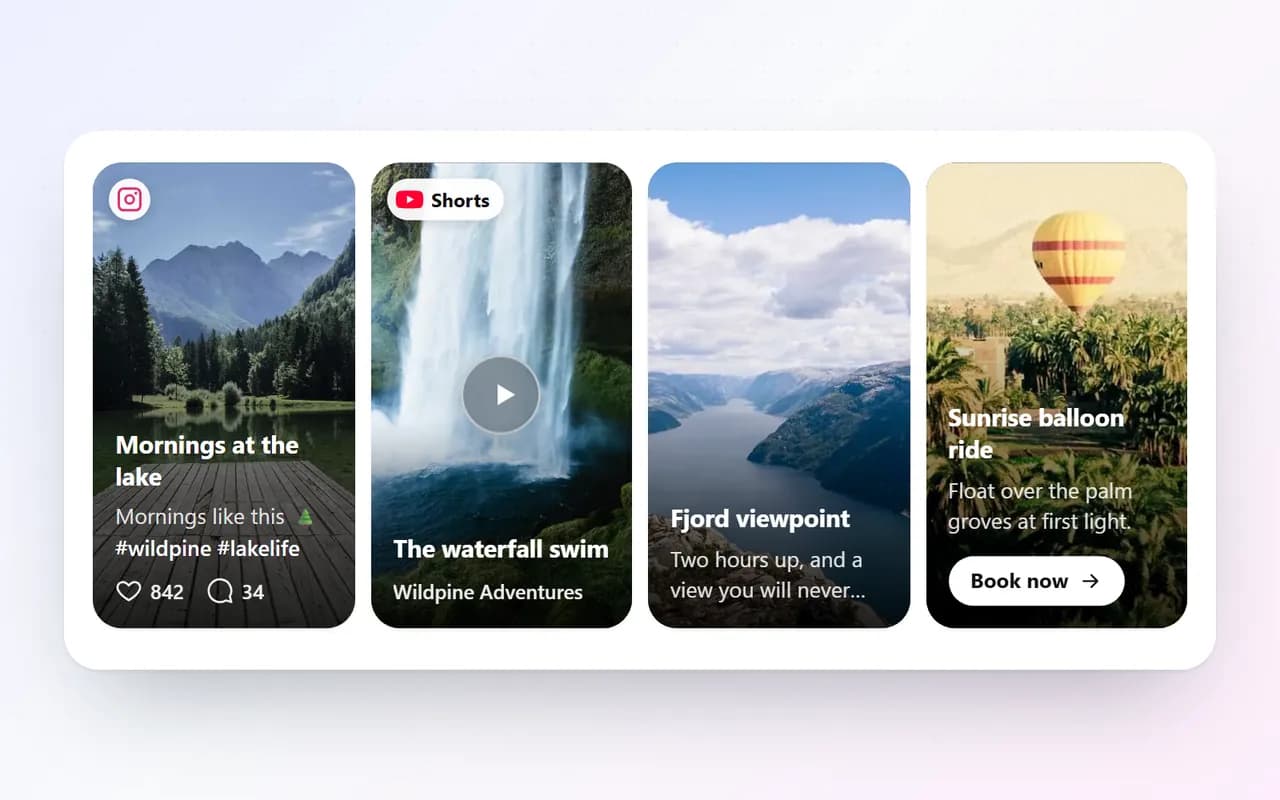
A sliding row of posts across the page.
Slider
One post at a time, the photo beside its caption (Pro).
Collage
Your newest post large, the rest around it (Pro).
Who it is for
Who it is for
Restaurants and cafés
Today's specials and new dishes, from your feed straight onto your menu page.
Shops and brands
New arrivals and styled photos on your home page, without uploading anything twice.
Hotels and travel
Rooms, views and the best moments of your guests, to make the trip feel close.
Photographers and artists
Your newest work shows on your portfolio the moment you post it.
Gyms and studios
Classes, events and members' progress, fresh every week without touching the site.
Creators
Turn website visitors into followers with a Follow button above your posts.
Guide
Getting the most from an Instagram feed on your site
A feed keeps your website fresh without any work. A few choices make it work harder:
Pick the layout for the space
A Grid fits a page of its own, a Showcase carousel fits a strip on the home page, and the Slider fits a sidebar or a narrow column.
Keep visitors on your site
Posts open in a popup on your page, with every photo of an album. Anyone who wants more can still follow you from the header.
Show the right posts
Leave out posts that mention a word, or show only the posts with a hashtag, such as the one for a single product line (Pro).
Set it and forget it
New posts appear on their own, every day on paid plans and every few days on Free. There is nothing to update by hand.
Works everywhere
Add your Instagram feed to any website
Copy the embed code from your dashboard, then:
- WordPress
- Add a Custom HTML block and paste the code. No Instagram plugin needed.
- Shopify
- Add a Custom Liquid section in the theme editor and paste the code.
- Wix
- Add an Embed Code element and paste the code.
- Squarespace
- Add a Code block where the feed should show and paste the code.
- Webflow
- Drag in an Embed element and paste the code.
- Any HTML site
- Paste the two lines where the feed should appear.
FAQ
Instagram feed widget: questions
How do I embed my Instagram feed on my website?
Create a free account, type your Instagram username, choose a layout and paste the one-line embed code into your website. Your newest posts then show on your site and update by themselves.
Can I embed my Instagram feed on my website for free?
Yes. The free plan shows your latest 12 posts in one widget, no credit card needed. Paid plans add more posts, likes and comments, videos and every photo of an album.
Do I need to give my Instagram password or connect my account?
No. The widget reads your public profile, like any visitor would. There is no Instagram login and no access token that expires.
Does it work with private or personal accounts?
It works with any public account: business, creator or a personal account set to public. A private account's posts cannot be shown on a website.
Will new Instagram posts appear on my website automatically?
Yes. The widget checks your account on its own (every day on paid plans, every few days on the free plan) and shows new posts.
Can it show reels, videos and carousel posts?
Yes. Reels and videos show with a play icon and open in a popup; albums show every photo (videos and albums play in full on paid plans).
How do I add an Instagram feed to WordPress, Shopify or Wix?
Copy the embed code, then add an HTML element on the page (Custom HTML in WordPress, Custom Liquid in Shopify, Embed Code in Wix) and paste it. No plugin or app is needed.
Will the Instagram widget slow down my website?
No. It loads after your page, only when visitors scroll near it, and images load as they come into view.
More widgets
One account, every widget
Use them together on the same site, from the same dashboard.
Show your Instagram feed on your website
Free plan, no Instagram login. Ready in two minutes.
Create your free widget