Send form emails from your own address
Make the thank-you email come from [email protected] instead of WidgetPop (paid plans).
When someone fills in your form, they can get a thank-you email. It comes from WidgetPop until you add your own email address. Then it comes from you, and looks like it.
1. Open the settings
In the menu, open Account & email and scroll to Send form emails from your own address. Press Add your email.
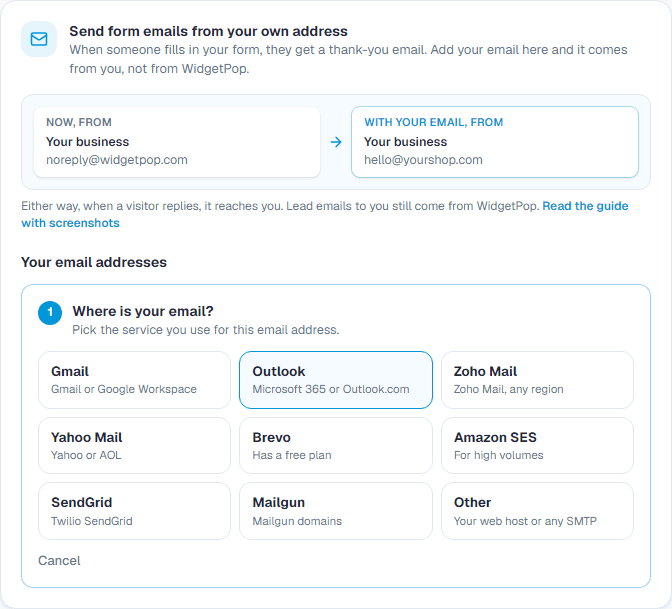
2. Pick where your email is
Gmail, Outlook, Zoho, Yahoo, Brevo, Amazon SES, SendGrid, Mailgun, or Other for your web host. The server settings fill in by themselves.
3. Get an app password
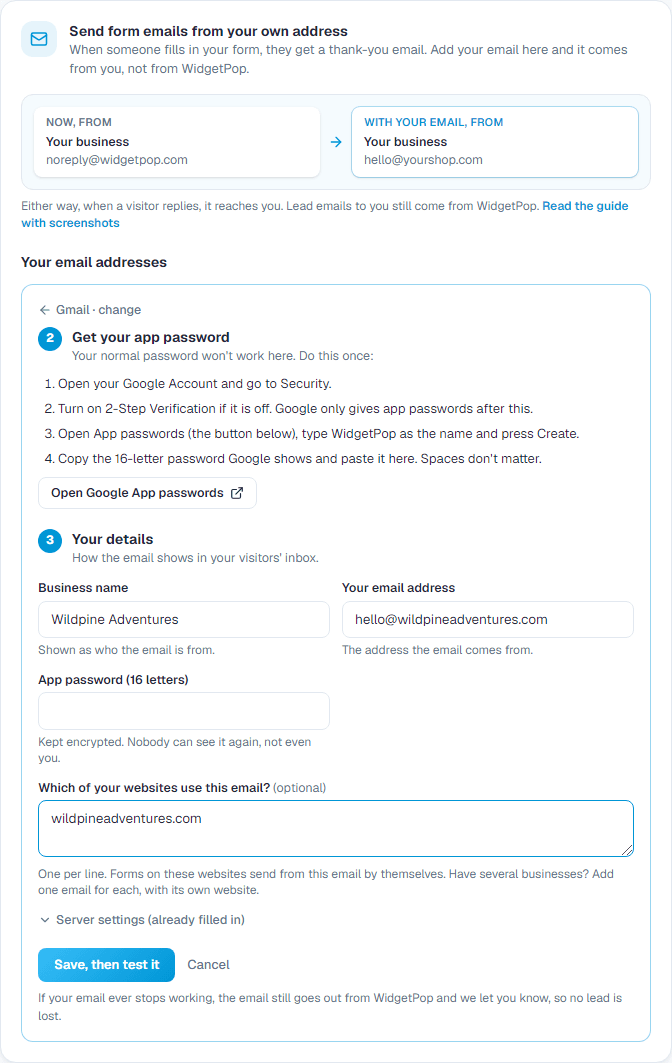
Your normal password won't work: email services ask for a special app password (or an SMTP key) for apps like this. The screen shows the steps for your service, with a button to its page. For Gmail:
- 1Turn on 2-Step Verification in your Google Account.
- 2Open App passwords, type WidgetPop and press Create.
- 3Copy the 16-letter password.
4. Fill in and test
- 1Type your business name, your email address and the app password.
- 2Optional: list the websites that should use this email.
- 3Press Save, then Send test email. A test arrives in your inbox when it works; if not, the screen says what to fix.
5. Use it on your forms
In a form's Settings tab, turn on Send them a confirmation email. If you listed the form's website, your email is used by itself. Or pick it under Send it from.
Several websites or businesses?
- One email for each business: add one per business, each with its own website. Visitors of each site get an email from that business.
- One email for everything: add one and list all your websites under it.
- Agencies: add one for each client, and in each client's form send leads to the client's email.
Your password is kept encrypted and never shown again. If your email ever stops working, the email still goes out from WidgetPop and we let you know, so no lead is lost.
Related guides
Still need help?
Tell us what you're trying to do. A real person replies, usually within one working day.